· 8 min read · Presentation Architecture
Building Dark-Mode Tech Pitch Decks: How to Embed Animated Motion Graphics in PowerPoint
Why 95% of deep-tech and AI pitch decks fail with static PNG diagrams, and how to embed seamless 60fps looping Python simulations inside Microsoft PowerPoint (.pptx).
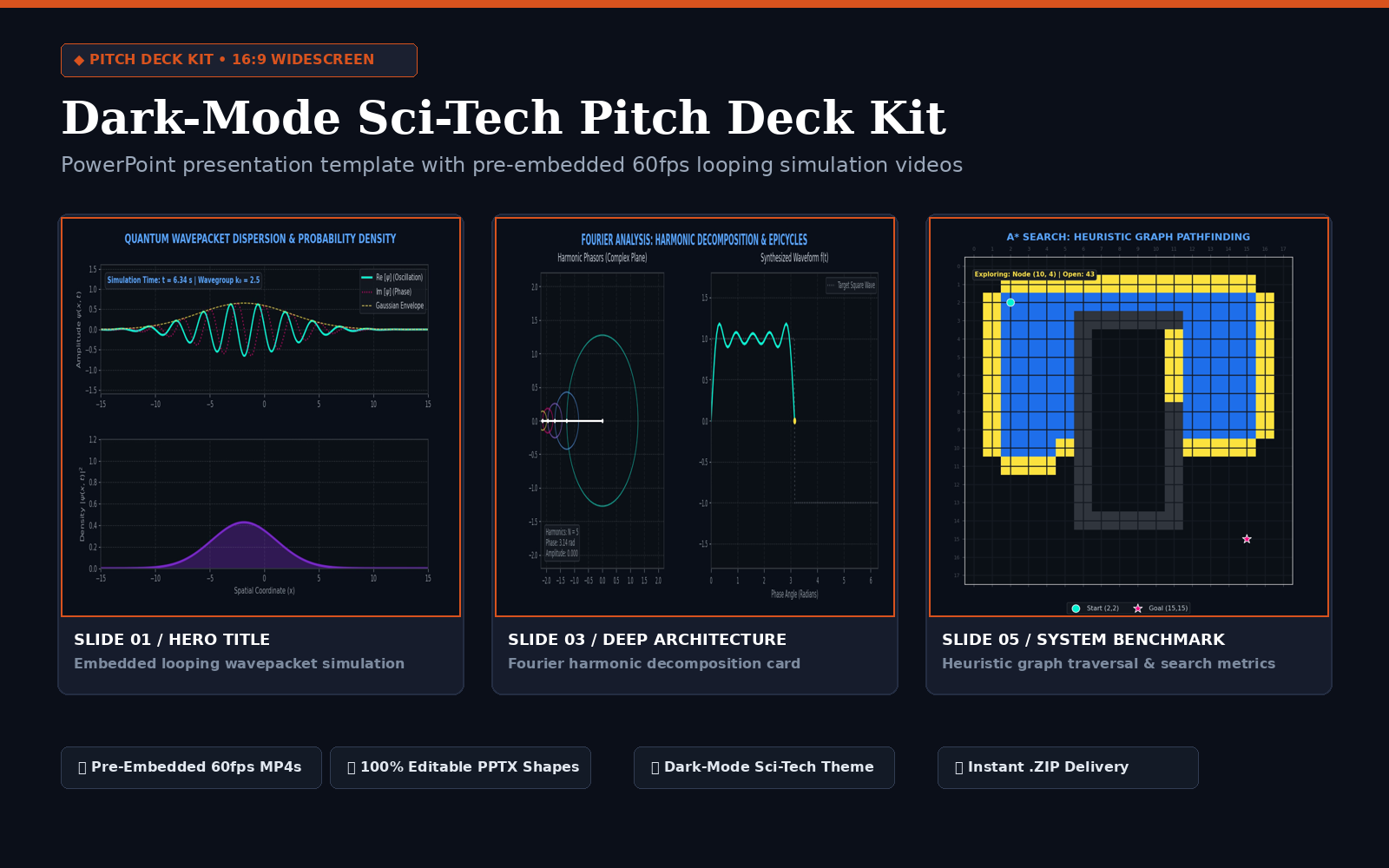
Get the Dark-Mode Sci-Tech Pitch Deck Kit (.pptx)
Complete 16:9 PowerPoint template pre-configured with embedded 60fps looping simulations (Fourier, Quantum, A* Pathfinding), typography hierarchy, and commercial license.
✓ Works in Office 365 & Keynote
✓ PayPal Protected
$19
USD
1. The Static Architecture Death Trap in Deep-Tech Pitches
Venture investors and enterprise buyers review hundreds of technical presentations weekly. When presenting complex innovations—autonomous robotics, neural networks, quantum computing, or algorithmic optimization—founders invariably drop in complex, static architecture box diagrams.
Static diagrams create immediate cognitive drag. The human brain cannot deduce temporal dynamics, causality, or convergence speeds from motionless arrows. By contrast, an embedded 60fps mathematical simulation loop conveys the entire operational thesis in 3 seconds before the speaker finishes their opening sentence.
2. Video Encoding Rules for Flawless PowerPoint Playback
Embedding video in PowerPoint frequently causes embarrassment on stage: black flashes between loops, delayed autoplay, or corrupted codecs on secondary conference laptops. To guarantee deterministic, rock-solid looping across both Windows and macOS Office 365, follow these exact FFmpeg encoding specifications:
# FFmpeg master command for seamless PowerPoint loop assets
ffmpeg -i raw_simulation.mp4 \
  -c:v libx264 -profile:v high -level:v 4.2 \
  -pix_fmt yuv420p \
  -r 60 -g 60 -keyint_min 60 -sc_threshold 0 \
  -an \
  -movflags +faststart \
  slide_loop_asset_60fps.mp4
- Pixel Format (
yuv420p): Ensures 100% hardware-accelerated decoding across all graphics chipsets without color shifting. - Audio Strip (
-an): Eliminates silent audio streams that force PowerPoint to initialize media sound drivers on slide transitions. - Fixed GOP (
-g 60): Aligns keyframes at exactly 1-second intervals, allowing PowerPoint to seek to frame zero instantaneously without a black flicker frame.
3. Configuring the Slide Loop in Microsoft PowerPoint
Once your encoded MP4 is inserted onto the slide canvas:
- Select the video container and click the Playback tab on the ribbon.
- In the Video Options group, set Start to
Automatically. - Check the box for Loop until Stopped.
- Check the box for Rewind after Playing.
- Set Poster Frame to an exported high-resolution PNG frame from frame 0 of your render.
Frequently Asked Questions
How do you embed looping 60fps MP4 video in PowerPoint without stutter?
Encode your MP4 with H.264 video codec at 60fps, YUV420p pixel format, zero audio stream, and constant framerate (CFR). In PowerPoint, select the video, navigate to the Playback ribbon, set Start to ‘Automatically’, and check both ‘Loop until Stopped’ and ‘Rewind after Playing’.
Why do deep-tech pitch decks perform better in dark mode?
Dark mode (#0D1117) provides maximum luminance contrast for colored data curves, laser vector lines, and glowing mathematical phasors while preventing audience glare during projector and high-resolution boardroom presentations.
What is included in the Dark-Mode Sci-Tech Pitch Deck Kit?
The kit contains a 16:9 widescreen master PowerPoint presentation (.pptx) with pre-embedded 60fps looping simulation videos (Fourier epicycles, quantum wavepackets, A* pathfinding), typographic scale, and full commercial re-use rights for $19 USD in our Digital Store.
Visual Praman Research & Motion Series
Need a Bespoke Pitch Deck Built for Your Seed/Series A Fundraise?
We architect entire keynote presentations, including custom 3D animations and mathematical diagrams tailored to your proprietary technology stack.
Comments
3 responses to “Building Dark-Mode Tech Pitch Decks: How to Embed Animated Motion Graphics in PowerPoint”
[…] Building Dark-Mode Tech Pitch Decks: How to Embed Animated Motion Graphics in PowerPoint […]
[…] View Commission Services & Rates → ←Building Dark-Mode Tech Pitch Decks: How to Embed Animated Motion Graphics in PowerPoint […]
[…] Gradient Descent (Momentum) → 05. NEURAL ARCHITECTURES Transformer Attention Routing → 06. PRESENTATION ARCHITECTURE Dark-Mode Pitch Decks (.pptx) → 07. ALGORITHMIC SUITE Sorting, BFS/DFS & DBSCAN […]